
Personal Golf Simulator Studio
Everything you need.
One affordable package.
Bring the excitement of the course home with GolfJoy’s Personal Golf Simulator Studio — a complete enclosure, launch monitor and software package that sets up in any room and delivers realistic play for the whole family.
Dimensions & Room Requirements
Two sizes.
Check your ceiling first.
PGS enclosures come in a Standard 10′ size and an Upgraded 12′ size. Ceiling height is usually the limiting factor — confirm yours before choosing a package.
| Size | Enclosure (W x H x D) | Metric | Matching Package |
|---|---|---|---|
| Standard | 10′ x 8.2′ x 13.8′ | 3m x 2.5m x 4.2m | P7 Personal Golf Studio Package |
| Upgraded | 12′ x 9.4′ x 13.8′ | 3.6m x 2.85m x 4.2m | P8 Personal Golf Studio Package |
Allow at least 2–3″ of buffer between the enclosure and side walls, and 12–16″ behind the impact screen to the rear wall.
Gallery
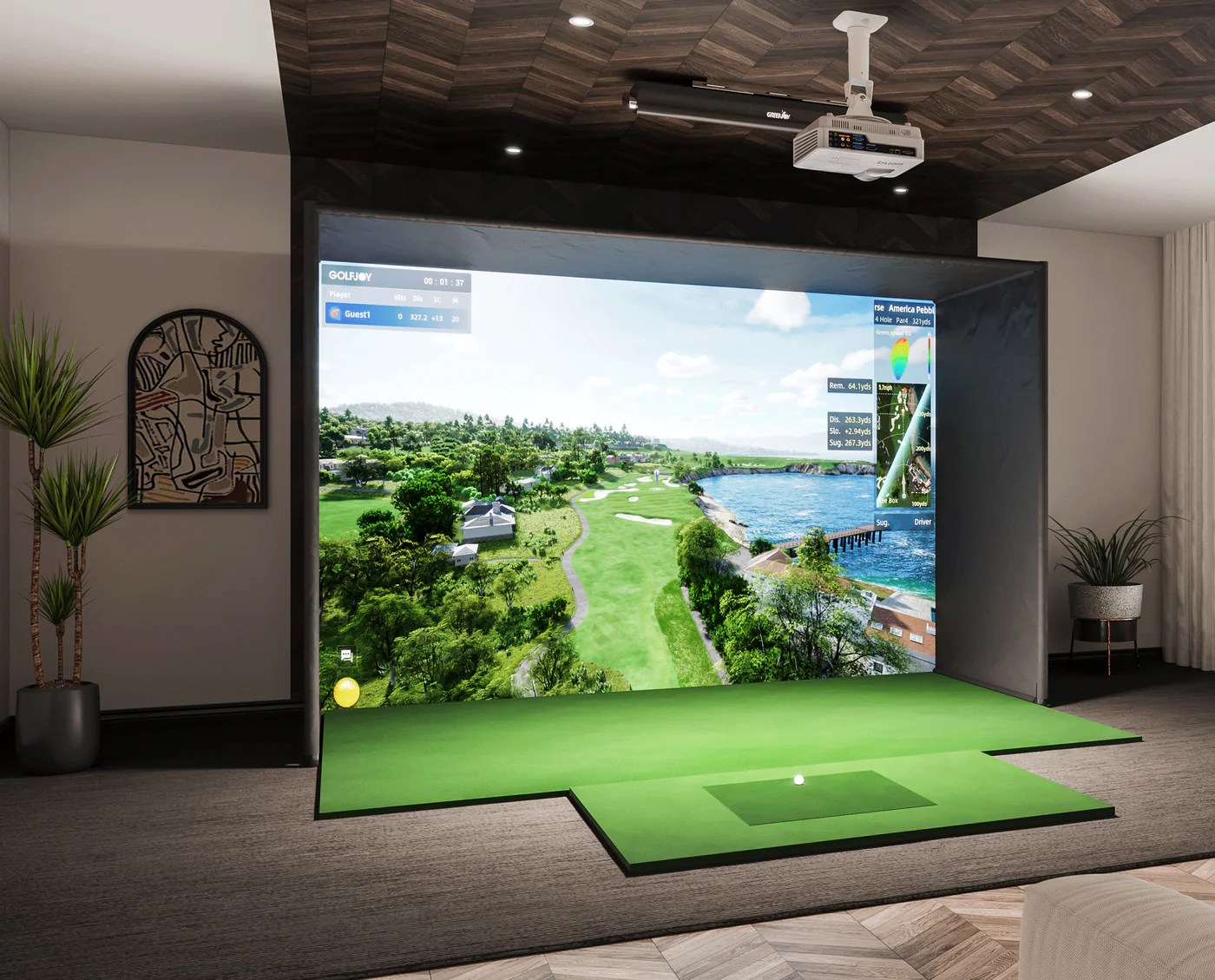
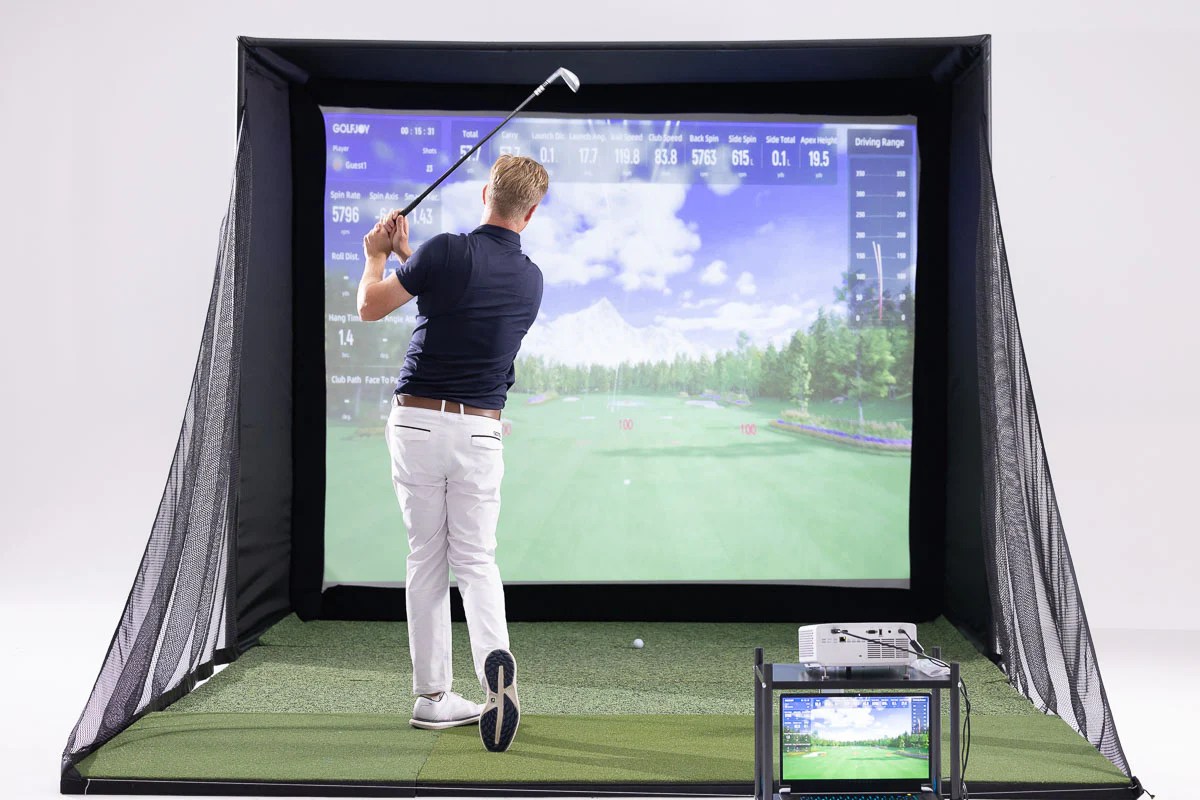
What a PGS
actually looks like.
Real enclosures, real rooms — from a dedicated studio to a simple DIY build.


See It In Action
Watch a full
PGS session.
A quick look at gameplay, setup, and the GolfJoy software experience.
Why PGS
Affordable, complete,
and ready to play.
PGS is built to be the simplest way into real simulator golf — one box, one install, one price.
All-In-One Package
Launch monitor, enclosure, screen, mat and turf arrive as one coordinated system, not separate purchases.
Quick Setup
Designed to go up in any room without construction or permanent modification.
GolfJoy Software
Realistic course play, swing tracking, and a free companion app for mobile and iPad.
Room-Matched Sizing
Choose Standard or Upgraded sizing based on your actual ceiling height and floor space.
PGS Bundles
Pick your
personal golf studio.
Every PGS package below includes the enclosure, impact screen, hitting mat and turf. Launch monitor, projector and PC tiers vary by package — compare and buy below.
-

10-Foot PGS Golf Enclosure
$3,599.00 Add to cart -

10’ PGS Personal Golf Studio PRO
$13,999.00 Add to cart -
12-Foot wide PGS Golf enclosure
$3,999.00 Add to cart -
12’ Personal Golf Studio PRO
$15,000.00 Add to cart -

MGC Golfjoy P7 Dual 10′
$12,199.00 Add to cart -
MGC Golfjoy P7 Dual 12′
$12,399.00 Add to cart
Common Questions
Before you order.
What’s the difference between the P7 and P8 packages?
P7 uses the Standard 10′ enclosure sized for an 8.2′ ceiling; P8 steps up to the 12′ Upgraded enclosure for a 9.4′ ceiling, with a higher-tier triple-camera launch monitor. Both include the full enclosure, screen, mat, turf and GolfJoy software.
Can I install this myself?
Yes — PGS is designed for straightforward setup in a spare room, basement or garage without construction work. We’re available to help with room planning before you order.
How much ceiling height do I actually need?
The Standard 10′ enclosure needs about 8.2 feet of clearance; the Upgraded 12′ enclosure needs about 9.4 feet. Measure your lowest point, including any ceiling fixtures.
What software and courses are included?
Every PGS package includes GolfJoy software with a free mobile and iPad app for club-head and swing-camera integration.
Not sure which size fits your room?
Consult with one of our designers
to create the best fit for your space.
Tell us your room dimensions and we’ll confirm exactly which PGS package fits, or pick a package above and we’ll take it from there.